
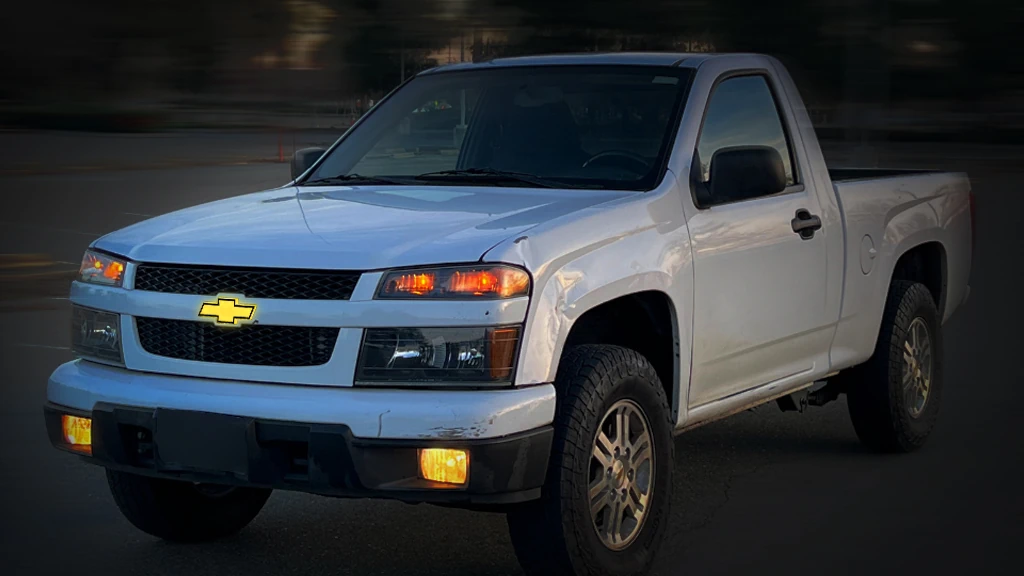
So you’ve got a 2010 Chevy Colorado, and you’re ready to give that front grille some nighttime personality. Maybe your old emblem is faded. Maybe it never glowed at all, and you want to change that. Or maybe you just want to roll up to the trailhead with that Chevy bowtie shining bright.
Whatever your reason, swapping in a led chevrolet emblem is one of the coolest, most satisfying upgrades you can make to your truck. And the good news? It’s totally doable in a driveway with basic tools.
Let’s walk through it step by step.
First Things First: What Are We Dealing With?
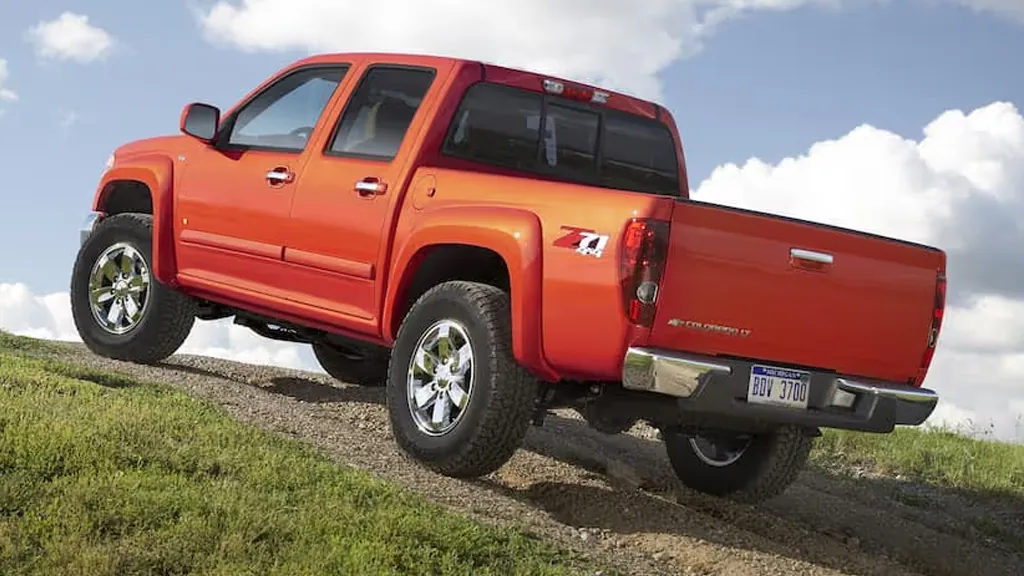
The 2010 Chevrolet Colorado is a solid, mid-size truck that’s right in that sweet spot—modern enough to have decent electrical systems, but simple enough that you can actually work on it without a computer science degree.
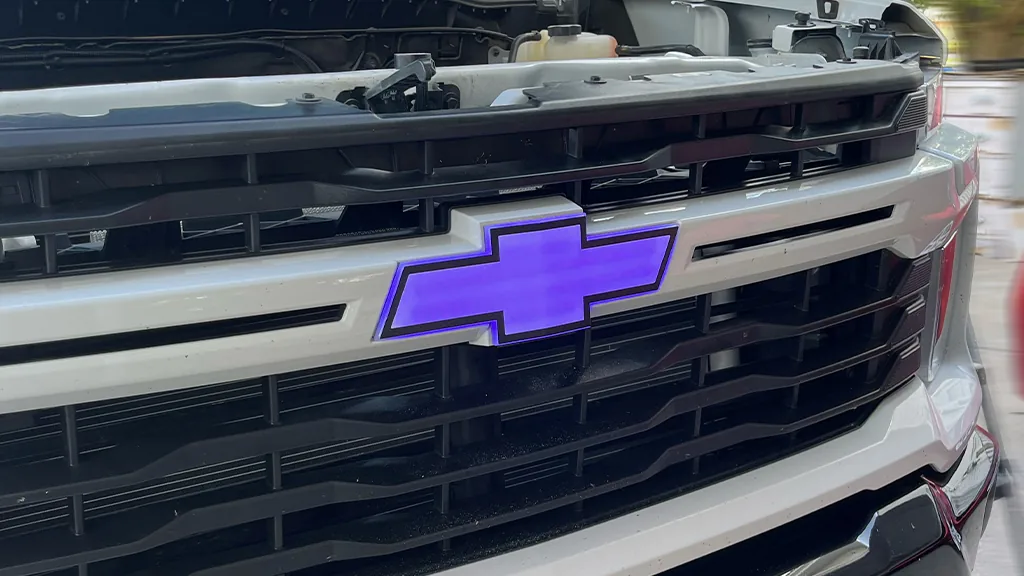
The front grille emblem on these trucks is mounted right in the center of the grille, held in place by clips or bolts from behind. On some trims, it’s just a chrome bowtie. On others, there might be some basic lighting. But we’re talking about upgrading to a proper illuminated emblem—one that glows when your lights are on.
Before you start: Make sure you’ve ordered the right emblem for your specific Colorado. The 2010 model has a particular grille design, and not all “universal” emblems will fit. Look for one specifically listed for 2009–2012 Chevrolet Colorado. Trust me on this.
What You’ll Need
Gather your supplies before you get started:
– New illuminated Chevrolet emblem (specific to 2010 Colorado)
– Trim removal tools or a flathead screwdriver wrapped in tape
– Socket set (probably 10mm, but check your kit)
– Wire strippers/crimpers
– Posi-taps or T-tap connectors (solderless and clean)
– Electrical tape or heat shrink
– Zip ties
– Multimeter (helpful but not required)
– Isopropyl alcohol and a clean rag
– Patience (seriously, don’t rush this)
Step 1: Disconnect the Battery
I know, I know—every guide says this. But here’s the thing: they say it because it matters. You’re about to mess with electrical stuff. Disconnect the negative (-) terminal on your battery and wait a few minutes. Better safe than sorry (or sparky).
Step 2: Remove the Old Emblem
This is where things get slightly different depending on your Colorado’s grille setup.
On most 2010 Colorados, you’ll need to access the back of the grille. That usually means:
1. Open the hood and look at the back of the grille assembly.
2. Remove the plastic covers or shroud on top of the grille if present. These usually pop off with trim tools.
3. Locate the emblem mounting points. On these trucks, the emblem is often held by plastic clips or small nuts from behind.
4. Reach behind and carefully release the clips or remove the nuts. This can be awkward—the space is tight. Go slow so you don’t drop anything into the engine bay abyss.
5. Pull the old emblem out from the front once it’s loose.
Alternative approach: Some people find it easier to remove the entire grille from the truck. This adds time but gives you way more room to work. If you’re already planning to be under the hood for a while, it’s worth considering. The grille is usually held by a few bolts at the top and some clips along the bottom.
Step 3: Prepare the New Emblem
Before you install anything, do a test fit. Place the new emblem in the grille opening without mounting it permanently. Make sure it sits flush and the clips line up.
Now look at the wiring. Your new illuminated emblem will have two wires—usually red (positive) and black (negative). You need to figure out where these will run from the emblem to your power source.
Plan your route: The wires will need to go from the back of the emblem, through the grille, and into the engine bay where you can tap into power. Make sure you have enough slack. Zip ties will be your friend here.
Step 4: Choose Your Power Source
This is the decision point. You want the emblem to light up when your truck’s lights are on—not constantly, and not with the ignition necessarily. The cleanest way is to tap into the parking light circuit.
Option A: Tap into the parking light wire
1. Locate your headlight or parking light wiring. On the Colorado, you can often find this near the headlight assemblies or at the fuse box.
2. Use your multimeter to find the wire that gets 12V when you turn on your parking lights (set to DC voltage, probe wires with lights on/off to confirm).
3. Once identified, use a posi-tap or T-tap connector to connect your emblem’s red wire to this positive wire. These connectors let you tap into existing wires without cutting them—huge win.
4. Connect the emblem’s black wire to a clean ground. Look for an unpainted metal bolt near the grille or fender. Sand a little paint off if needed for a solid connection.
Option B: Fuse box tap
1. Find a fuse that’s powered only when the ignition is on (like the radio or accessory socket). This means your emblem will light whenever the truck is running, regardless of headlights.
2. Use an add-a-circuit fuse tap to safely pull power from that slot.
3. Connect your emblem’s positive wire to the add-a-circuit, and ground the negative wire to the chassis.
Which is better? Option A feels more “factory correct” because the emblem only glows at night with your lights. Option B is simpler if you want the emblem on whenever you’re driving. Your call.
Step 5: Run and Secure the Wiring
This step separates a clean install from a messy one.
– Route the wires carefully along existing harnesses. Don’t just let them dangle.
– Use zip ties to secure the wiring every few inches, keeping it away from hot engine parts, moving fans, or sharp edges.
– Protect the connections with electrical tape or heat shrink. This is a truck—it sees weather, mud, and car washes. Waterproof your work.
– Make sure nothing is pinched when you close the hood or reassemble the grille.
Step 6: Install the New Emblem
Now that your wiring is in place and connected:
1. Feed any excess wire back through the grille opening.
2. Position the new emblem in its mounting hole.
3. Secure it from behind—whether that means snapping clips into place or tightening small nuts. You should feel it lock in.
4. Double-check that it’s straight. There’s nothing worse than a crooked emblem staring at you every time you walk up to your truck.
Step 7: Test Everything Before Reassembly
Before you put all the trim pieces back:
1. Reconnect your battery.
2. Turn on your parking lights (or start the truck, depending on your wiring choice).
3. Walk to the front and admire your glowing bowtie.
If it lights up—congratulations. You did it.
If it doesn’t:
– Check your ground connection (this is the most common failure point).
– Verify your tap connections are secure.
– Make sure the emblem’s wiring isn’t damaged.
– Double-check your fuse (if you used the fuse box method).
Step 8: Reassemble and Clean Up
Once you’ve confirmed the glow is working:
1. Reinstall any grille shrouds or plastic covers you removed.
2. Tuck any remaining visible wires neatly.
3. Give the emblem a quick wipe with isopropyl alcohol to remove fingerprints.
4. Stand back and admire your work.
A Few Final Tips
– Take photos during disassembly. Trust me, when you’re trying to remember where that one clip goes, photos save the day.
– If your truck has a front camera or parking sensors near the emblem, be extra careful. Don’t block or damage them.
– Some illuminated emblems come with a built-in regulator to prevent flickering. If yours flickers, check your connections and ground—or consider adding a simple relay.
– Consider your local laws. White or amber light to the front is usually fine. Colored lights up front can attract unwanted attention from law enforcement.
The Bottom Line
Replacing the emblem on your 2010 Chevrolet Colorado with an illuminated version is one of those upgrades that just makes you smile every time you see it. It’s personal, it’s stylish, and it’s surprisingly straightforward.
Take your time, follow these steps, and in a couple hours you’ll have a truck that stands out from every other Colorado on the road. And when you roll up to the campsite or the jobsite after dark, that glowing bowtie will say exactly what you want it to say:
Yeah, this one’s mine.